View an Invoice's Workflow Status
Written By Stefan S.
Last updated 4 months ago
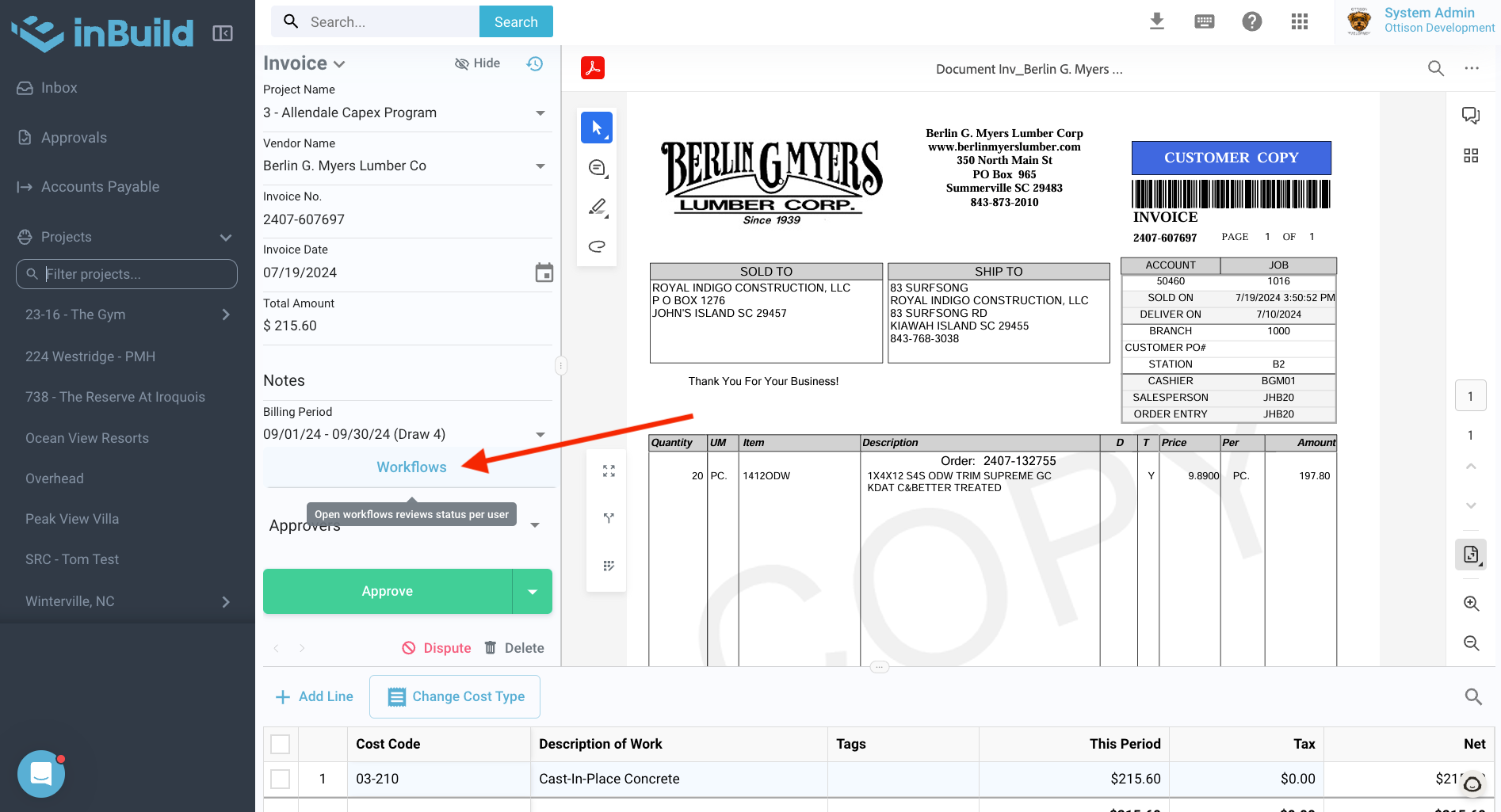
To view an invoice's current workflow sequence while reviewing it, you can now access this information by clicking on the "Workflow" option above the "Approvers" selector.
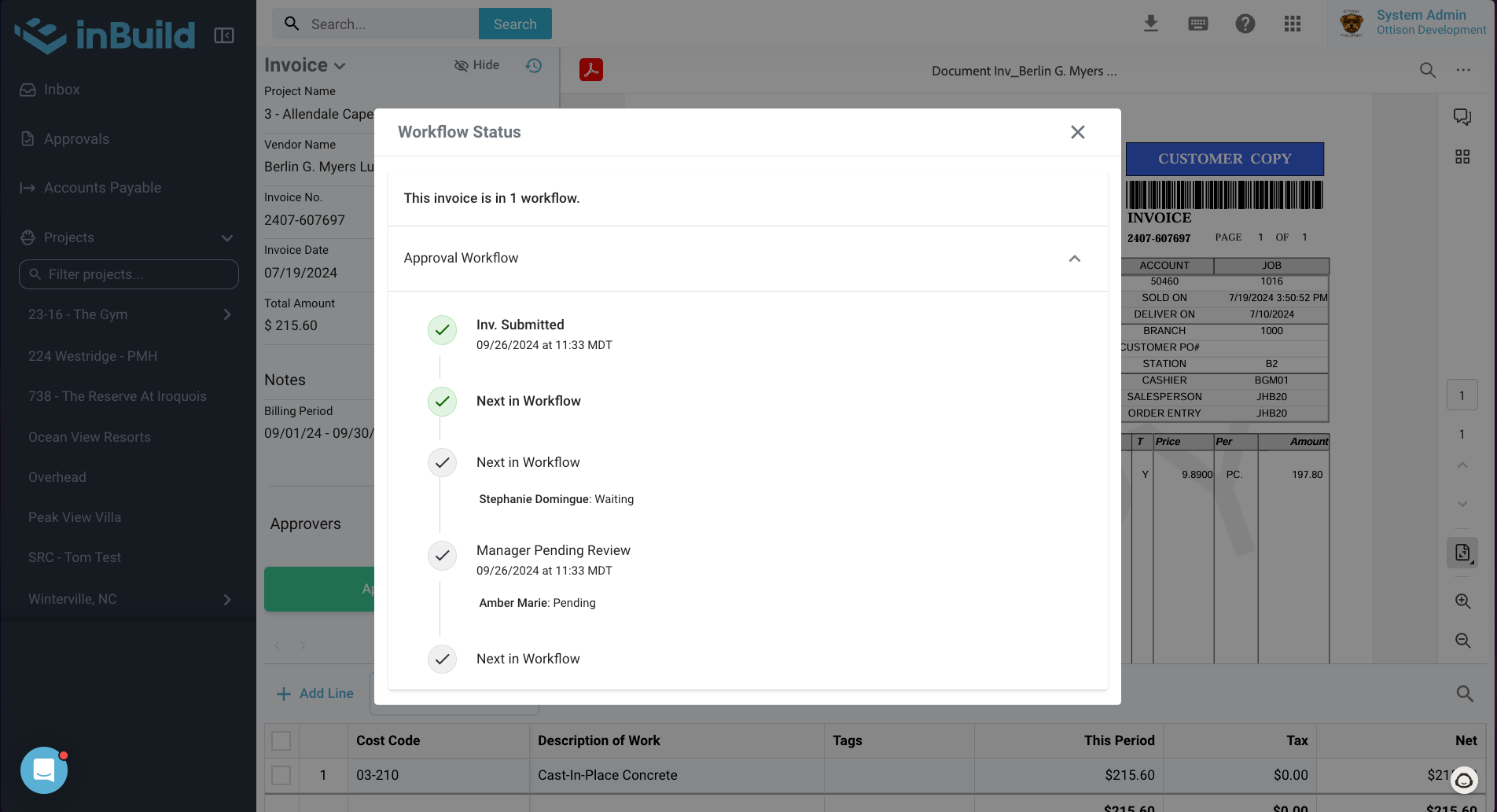
A screen will open showing past workflow steps, the current requested action, and any future workflow sequences if the invoice is approved.
Still need help? Ask the team