🗄️ Streamline Your On-Site Workflow: Introducing Direct Camera Roll Uploads to the File Cabinet!
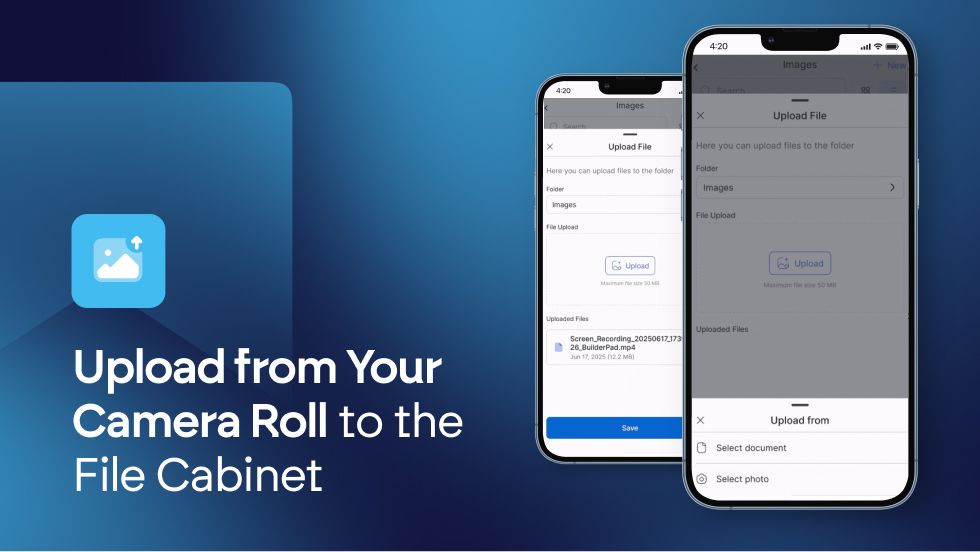
Capturing project moments on your phone is easy, but getting those photos and videos into your project's official record should be just as simple. We're excited to announce a powerful new mobile-only feature for the BuilderPad app: the ability to upload media directly from your camera roll into the File Cabinet.
No more emailing files to yourself or waiting until you're back at the office. This update bridges the gap between the job site and your central project files, making documentation faster and more efficient.
Here’s how this new feature streamlines your workflow:
Instant Access to Your Camera Roll: When you visit the File Cabinet in the mobile app, you’ll now see a "fly up" view of your device's camera roll, ready for you to select files.
One-Tap Uploads: Simply browse your photos and videos, select what you need, and tap the upload button. Your media will be sent directly and securely into your project's File Cabinet.
Centralize Files from Anywhere: Whether you're documenting a completed milestone, flagging an issue, or sharing progress shots with the team, you can now upload crucial visuals in seconds, right from the palm of your hand.
This feature is designed to save you additional time and lessen the steps needed to upload your files, as well as ensure your project's File Cabinet is always organized and up-to-date with the latest from the field.

Update your BuilderPad app today, head to the File Cabinet on your next site visit, and experience the convenience of direct camera roll uploads!