📅 Enhanced Construction Scheduling: Introducing the New Calendar View!
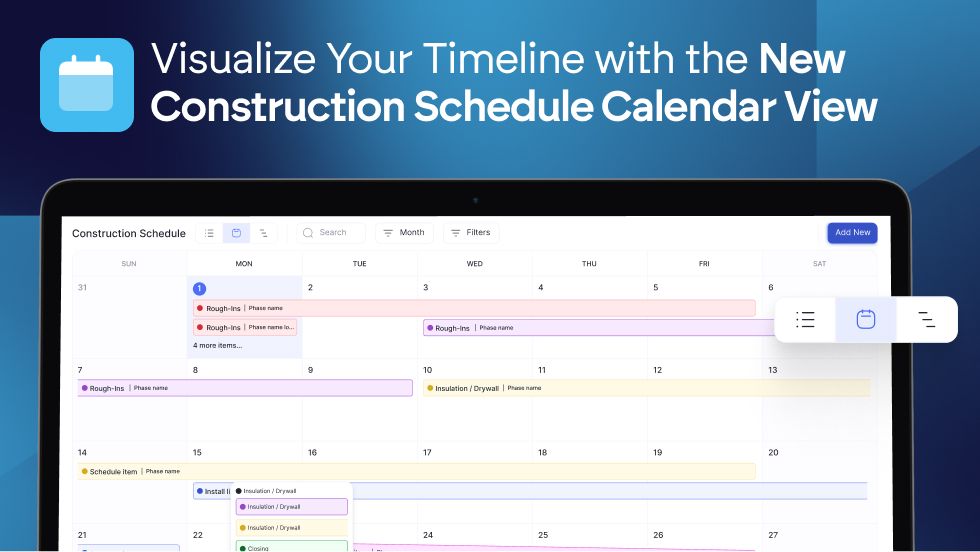
Managing your project timelines in BuilderPad just got even more intuitive! We're excited to announce a significant improvement to our project schedule feature: the new Calendar View. This addition provides a clear, visual way to track your phases, items, and statuses, helping you stay on track in a known view we are all used to.
To view your Construction Schedule in Calendar-view, simply select the project you’re working on.
In the Project’s option, click on the Clipboard icon to open your construction schedule:

From there, you can filter the schedule by month, week, or day to change the calendar view:

And, to Add a New Phase, Item, or Checklist to your calendar and project, just tap on the “Add New” button:

Allowing you to seamlessly have an entire overview of your project, and plan accordingly:

What the New Calendar View Offers:
We’ve designed the Calendar View to fit right into your construction workflow, giving you a clearer, more intuitive way to manage your project timelines.
Your Project Blueprint, Now on a Calendar: Your schedule now defaults to the Month View, giving you a powerful, high-level look at your entire project. It’s the perfect way to map out major phases and milestones, from groundbreaking to the final walkthrough, and see how everything connects.
Zero in on Daily and Weekly Tasks: When you need to focus on what's happening on-site, instantly switch to Week or Day view. This is where you can see the specific tasks you and your crews need to work on, making it simple to manage your day-to-day progress and keep the project moving forward.
Build Your Schedule Visually: The calendar is your new command center for planning. As you add a new Phase, Item, or Checklist to your project, it will instantly appear on the calendar. This live reflection gives you a much better overview, so you can immediately see how new tasks impact your overall timeline and plan your build more effectively.
Works With Your Existing Setup: The Calendar View seamlessly integrates with your current projects. It uses the same permissions as the Gantt view and is automatically enabled for your team, so you can start using it right away without any hassle.
The Calendar View is designed to complement our existing schedule tools, offering you a dynamic and user-friendly way to stay organized and keep your projects on track.
We encourage you to explore the new Calendar View in your project schedules and experience a more visual approach to project management!