🗂️ Speed Up Your Setup: Introducing One-Click Selection Item Cloning!
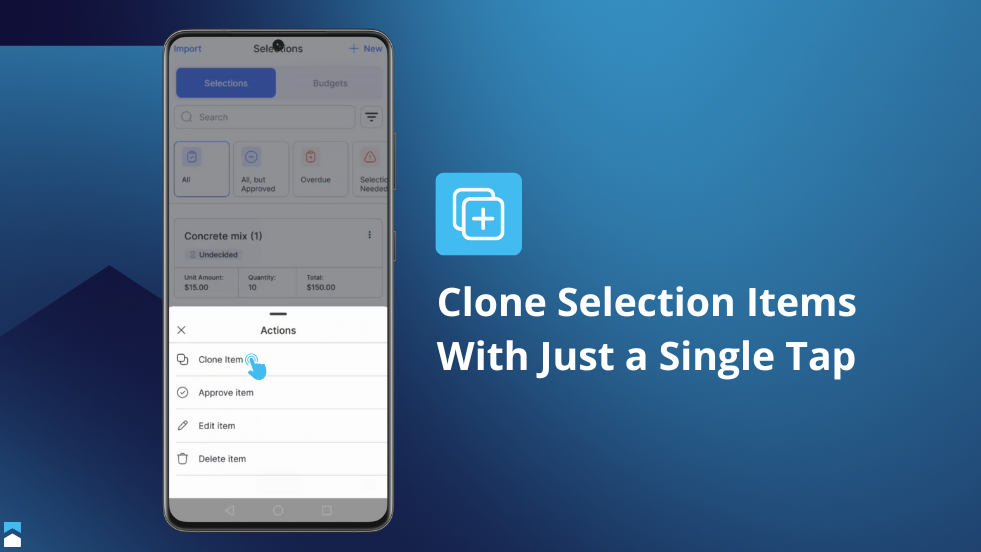
Managing detailed project selections just got significantly faster and more efficient in BuilderPad! We're thrilled to introduce the Cloning Selection Item feature – a powerful new way to duplicate your existing selection items with just a click, whenever you're within a project and managing your Selections Library.
We know that specifying every detail, from flooring and fixtures to paint colors and appliances, is crucial. Often, you need to create multiple variations of similar items, and building each one from scratch can be repetitive and time-consuming. With the new cloning feature, this is now much simpler!
Here’s how Selection Item Cloning will streamline your workflow:
Instant Duplication: Simply choose any selection item you want to replicate, either from a project's selections or your central library, and clone it instantly in the dotted menu options. This is perfect for when you need a similar item with only minor modifications.
Smart & Unique Naming: To keep things clear and organized, BuilderPad automatically assigns a unique name to the cloned item. For example, if your original item is named "Kitchen Faucet," the first clone will be automatically named "Kitchen Faucet (1)”.
Ready for Further Editing: As soon as you clone an item, it will appear within your Selection options. You can immediately make any necessary tweaks, without having to create an entirely new selection item.

The new Cloning Selection Item feature is designed to reduce repetitive data entry, help you maintain consistency, and allow you to build out comprehensive project selections more quickly than ever before. You can now:
Quickly create options for client presentations
(e.g., "Master Bath Tile Option A," "Master Bath Tile Option B").Efficiently set up selections for different units or rooms that share common elements but require slight variations.
Build out your company's standard Selections Library much faster by using existing items as detailed templates.
Log in to BuilderPad and look for the new clone option next to your selection items. We're confident this will become an indispensable part of your selections management process!